 套Issue
a new workflow by copying an issued workflow
套Issue
a new workflow by copying an issued workflow1. To save time and speed-up your issuing process, you can copy an issued workflow for the new editing works.
2. Search and open a similar or suitable issued workflow first.
Then click "Copy and create a new workflow" on the right-upper side to
issue a new workflow by using the same format.
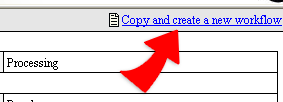
3. Editing contents and following issuing steps to issue the new workflow.