Download Files
1. After you signed on to D2D, select a file and move it to the window on the left to download.
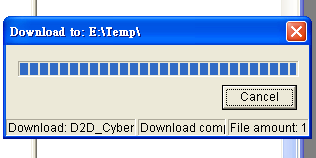
2. Or select the file on the right, then click on the download button on the top. After you have selected where you want to place the file, click on "Yes" The file will start downloading and a small window will show up. After it is done downloading, the small window will shut down by itself.