 Account Suspending
1. By clicking on the contact's name, the contact's basic information will appear.
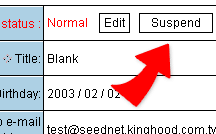
2. To suspend an account, click on the top right "Suspend" icon, to enter the setting page.
3. Fill in the reqiured fields, follow by clicking on " Done" icon at the bottom. The account is now suspended and will not be able to login or be used.
4. Suspended accounts can be found inside the list of Suspended Account
and an suspended account can become active again.