 Account Information Editing
1. By clicking on the contact's name, this contact's basic information will appear.
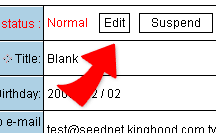
2. To edit the basic information, click on "Edit" which leads you into the edit page.
3. You may edit the information directly, then click on "Done" to complete the editing process.
|