 Account Listing
1. The left column contains a list of all contacts. All contacts on top are current contacts and below are suspended contacts and deleted contacts.
2. For the purpose of current system information, an account cannot be deleted.
3. By clicking on a group, a drop down list will show all contacts within the list.
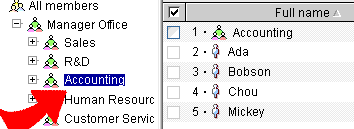
4. By clicking on the contact's name, the basic information of that contact will appear.