 Editing Contact Group
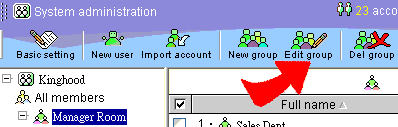
1. Click on a contact group. Follow by clicking on "Edit Contact Group". You will enter the contact group editing page.
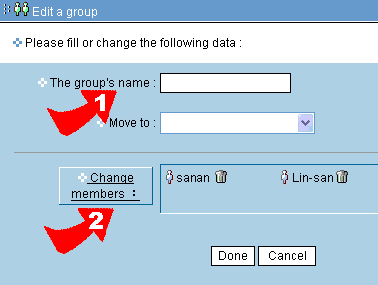
2. You may edit the group's name directly.
3. Or you may click on "Edit group members", a list of all contact's name will pop up. You may then add new contact.
4. The process is then completed.