 Upload logo file
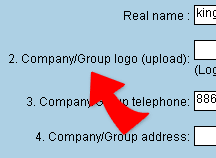
1. Inside "System Administrator- Basic Setting"
page, "Company/Group Logo upload" allow you to set your company logo, click
"Browse" icon, then upload company logo file follow by clicking on "Done", the uploading is now complete. 。
2. Company logo will be displayed on the top right corner of the page as well as on the login page。
3. For best browsing result, we suggest you set the size of the logo to:width 100pixel,height 45pixel,jpg or in gif format。