 Address Book Sharing Name Editing
1. Click on "Public Sharing Area Management" and a window will pop up for "Public Sharing Management - Step1"
2. Select "Public Sharing Listing/ Setting". From the drop down list, select a name and click on "Next" and enter into "Public Sharing Management - Step 2".
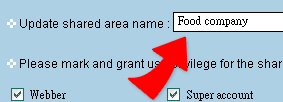
3. Inside the box fill in the new name for this sharing area and click on "Finish" to complete.