 Internet Hard-Disk Public Sharing Area Name Editing
1. Click on "Public Sharing Management". A window will pop up for "Public Sharing Management- Step 1"

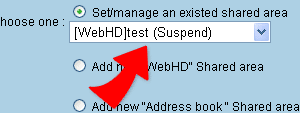
2. Select "Public Sharing Management/Setting" , select from the drop down list member's public sharing name and click on "Next". You will then enter into "Public sharing Area-Step 2"
3. Enter a name inside the Public Sharing Area Name box, follow by
clicking on " Done" to complete the process.