 Add
New Internet Hard-Disk Public sharing Area
Add
New Internet Hard-Disk Public sharing Area1. Click on top "Public Sharing Management" and enter into "Puublic Sharing Management- Step 1" .
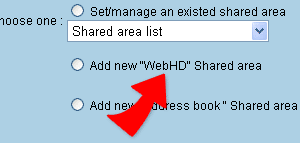
2. Select "Add new internet hard-disk public sharing area" ,Click "Next" and enter into "Public Sharing Area Management- Step 2"
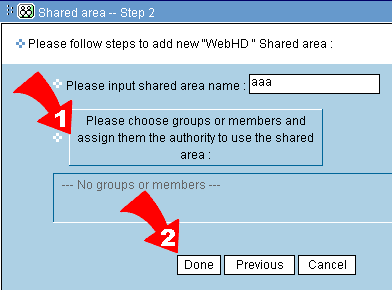
3. Fill in Public Sharing Area name.

4. Click on "Please select permitted company member" . A pop-up list will appear, select company member follow by clicking on " Finish". The small window will then be closed.
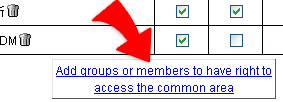
5. Then choose members which includes company staff and guest. Click""Add groups or members to have right to access the common area""
, then the window for choosing group-member list shows. Tick group or member and add into the chosen target field, and tick the authorities, read, add, write, or delete, then click "Done" to complete the setting.
|