Save mail as
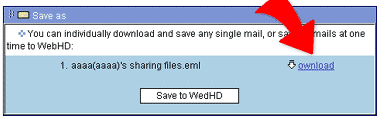
1. Click mail subject and then click  --Save as. The "Save as" page shows up.
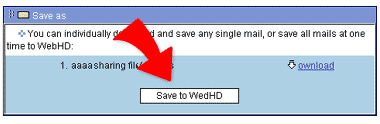
2. Click "Save to WebHD" and the page turns to WebHD's file explorer. Choose the folder you want to save the mail and click
"OK". The mail then is saved to the directory of WebHD by the format .eml.
3. Or, Click "Download" at the right hand side of the mail's name to download directly the mail into local computer.