 Mail folder
1. The mail folders are listed in the left frame and the mail list on the right associated with the folder you clicked.
2. There are 4 default folders: Inbox, Sent, Draft, Trash created by system.
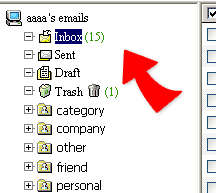
3. New mails will be kept in Inbox after receiving.
4. Any sent mail will be kept a copy in Sent folder if you did not un-check the "keep a copy" when you sent the mail.
5. Unfinished mail will be temporarily stored in Draft folder by clicking "save".
6. The deleted mails will be temporarily moved to Trash folder if not by "delete only" option when deletion.