 Upload
".zip" files
Upload
".zip" files1. Click  -- Upload, and an upload window shows up.
2. Click "Browse". Find and choose the ".zip" file(s) you want to upload.
3. mark "zip file decompressed automatically
when uploaded".
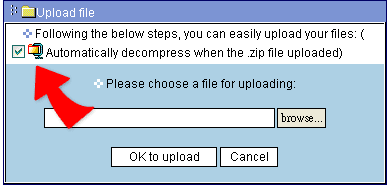
4. Click "Done" to execute uploading file(s).
5. When get confirm message, the file(s) are uploaded.
|