 Use
reminding function when file unlocked
Use
reminding function when file unlocked1. Click a name in the name list of + Network neighborhood
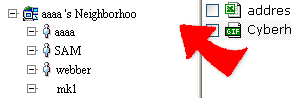
2. If a file is in locked mode, then you can only view the file without any updating.
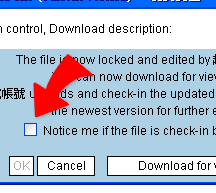
3. You can click  --download on the right of the file name. A message window shows up. Check
[Notice me if the user who locked the file finishes the editing], and click "OK". Then, as the file is unlocked, you will receive a notice mail from system immediately.
--download on the right of the file name. A message window shows up. Check
[Notice me if the user who locked the file finishes the editing], and click "OK". Then, as the file is unlocked, you will receive a notice mail from system immediately.
|