 Version
update and Locking in advanced mode
Version
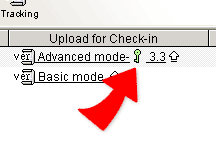
update and Locking in advanced mode1. In network neighborhood, there will be one and only one user to use the Download for update -- Upload for check-in function to a shared file in the advanced version control mode at the same time.
2. When someone [Download for update] a file and before [
Upload for check-in] the updated file, the file is in  --
Locked status. The file will be unlocked after the user who locked it uploads the updated file and unlocks it
or the owner/administrator of the file unlocks the file by the unlocking process in the version tracking mode.
Before unlocking, no one else can update the file by the [Upload for check-in] function.
--
Locked status. The file will be unlocked after the user who locked it uploads the updated file and unlocks it
or the owner/administrator of the file unlocks the file by the unlocking process in the version tracking mode.
Before unlocking, no one else can update the file by the [Upload for check-in] function.
|