 Version
update in basic mode
Version
update in basic mode1. Click a name in the name list of + Network neighborhood
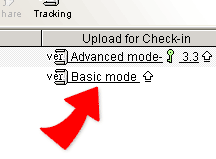
2. Click  Basic mode
 in the "Upload for check-in" field
, the page is changed to a upload file page.
in the "Upload for check-in" field
, the page is changed to a upload file page.
3. Click "Browse" to find the file for uploading and then click "Done" to proceed uploading file.
|