 Copy
files from network neighborhood to WebHD
Copy
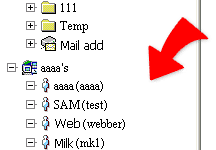
files from network neighborhood to WebHD1. Click a name in the name list of + Network neighborhood
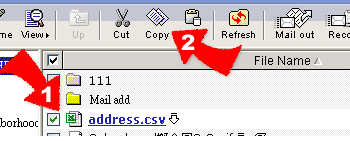
2. Check files in the right frame and click  --Copy, and the checked files are changed the color to bold.
3. Go to the directory in your own WebHD, which you want to copy the checked files, and click  --Paste, to copy those checked files.