 Stop
version tracking
Stop
version tracking1. Click  -- Version tracking, a sharing list window shows up.
2. Click  -- Edit, the page shows the version tracking detail associated with file
you click.
-- Edit, the page shows the version tracking detail associated with file
you click.
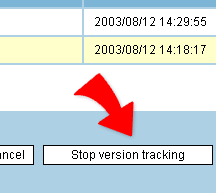
3. Click "Stop version tracking", and confirm again to stop the version tracking on the file.
4. After stopping the version tracking of a file, the file will be removed from the version tracking list. And you have to locate the original file and click  -- Version control-History if you want to see the versions' details of the file.。
5. Stop the version tracking of a file and it will also be removed from "Network neighborhood" and stop the sharing of the file.
|