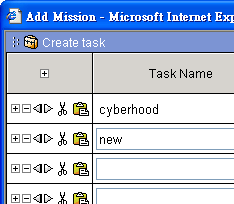
Quick-add Tasks
1. Select "On-going Project" in the directory tree on the left window.
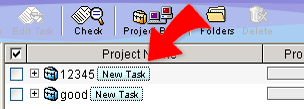
2. Click "New Task" button next to the project that you wish to add task to.
3. You can then add new tasks to project and assign tasks to users quickly. Click "OK" when finished.