 Cyberhood
Assistant
Cyberhood
Assistant1. Enter「Basic Setting」 to edit Cyberhood
Assistant。
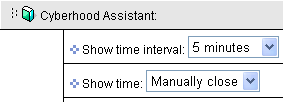
2. Set accordingly to your desire the time, frequency and color which it appears. Then complete by clicking on 「Done」。
3. After completing the process, it will appear the way you have set it.
|